
The System screen of a Backup Server brings together what you would otherwise look up in several places of its web UI: kernel and version, pending updates, the state of its services, disk health, network, subscription and certificate. You can also refresh the package index, restart a service, and restart or shut down the server. The Tasks screen lists every task the server has run, with its live log. Viewing is free. Refreshing the package index, restarting services and the power actions need Aprox Pro.
Where to find it
- Sidebar › your Backup Server › System.
- Sidebar › your Backup Server › Tasks.
Read the system details
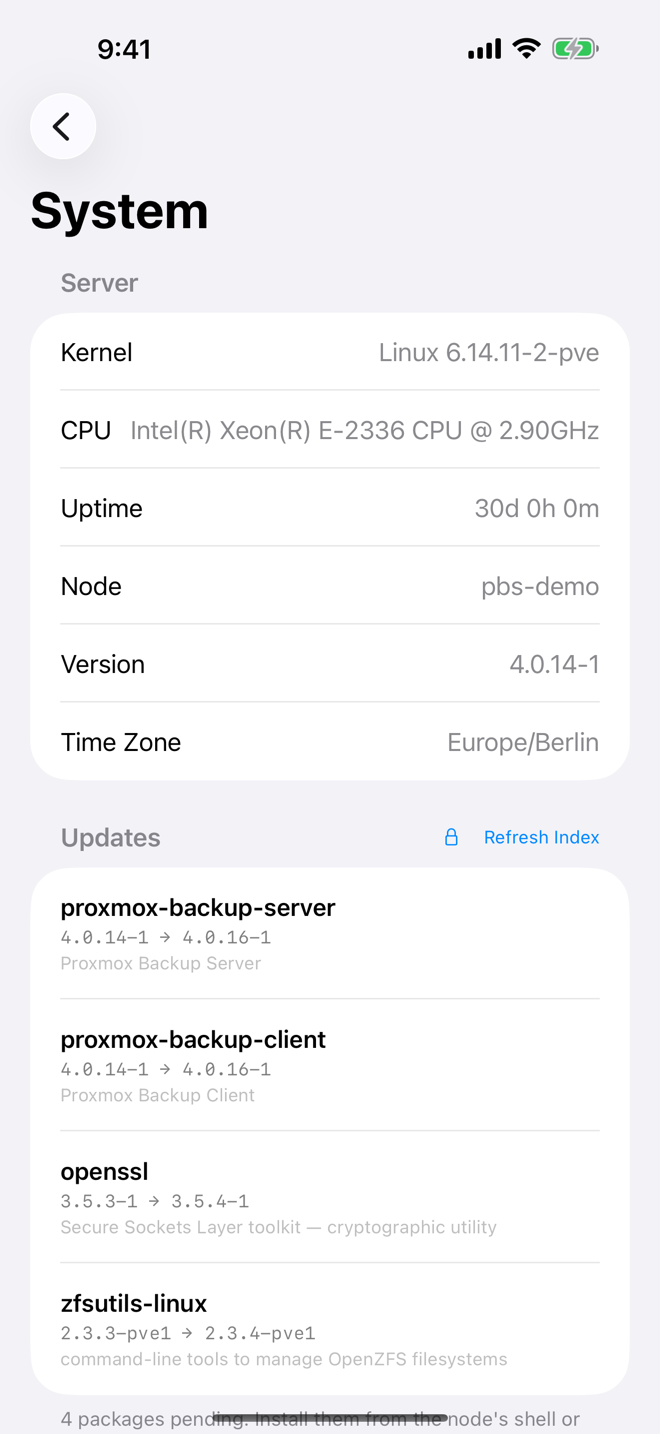
The System screen has these sections:
| Section | What it shows |
|---|---|
| Server | Kernel, CPU, Uptime, Node, Version and Time Zone. History charts for the server are on the Overview. |
| Updates | Up to date, or the list of pending packages. |
| Services | The Backup Server services and their state. |
| Disks | Every physical disk with its health. |
| Network | Each network interface with its type and address, plus DNS and Search Domain. |
| Subscription | The subscription status, Next Due and Server ID. |
| Certificate | Subject, Expires, Names and Fingerprint of the server's certificate. |
| Power | Restart Server… and Shut Down Server…. |
Each section loads on its own. If your account may not read one of them, the others still show.
Refresh the package index
Needs Aprox Pro.
- Go to System › Updates.
- Tap Refresh Index. Aprox shows Refreshing package index… and then Package index refreshed.
- Read the list of pending packages.
Aprox does not install updates. An upgrade can ask questions that only a shell can answer, so install them from the server's shell or the web UI.
Restart a service
Needs Aprox Pro.
- Go to System › Services.
- Swipe the service and tap Restart, or long-press or right-click it and choose Restart.
- Confirm "Restart <service>?". Running backups and restores through this service are interrupted, and the app may lose its connection for a moment.
- Tap Restart. Aprox shows "Restarting <service>…" and then Restarted.
Check disk health
Free.
- Go to System › Disks. Each disk shows Healthy, Failing or No SMART.
- Tap a disk for its SMART report: Disk, Device, Serial, Size, Life remaining, Health and Attributes.
USB enclosures and hardware RAID controllers often hide SMART data. If the server reports no disks at all, the section reads "This node reports no physical disks." The SMART report is the same as for a Proxmox VE node; see Node maintenance.
Check the certificate
The Certificate section shows the certificate the server presents. A self-signed certificate carries the note: "Self-signed, as every Backup Server is until a certificate is installed. Aprox trusts it because you pinned its fingerprint."
Use the Fingerprint when you add this server as a remote on another Backup Server, or when you add it as a storage in Proxmox VE. See also Self-signed certificates.
Restart or shut down the server
Needs Aprox Pro.
Restart
- Go to System › Power.
- Tap Restart Server….
- Read the confirmation "Restart <server>?": every running backup, restore, sync and verify stops, and the server is unreachable until it has started again.
- Tap Restart. Aprox shows "Restarting. The server is back in a few minutes."
Shut down
- Go to System › Power.
- Tap Shut Down Server….
- Read the confirmation "Shut down <server>?": every running backup, restore, sync and verify stops, and the server stays off until someone switches it on.
- Tap Shut Down.
Warning
A Backup Server you shut down stays off. Aprox cannot wake it again, so make sure someone can reach the machine.
Follow the server's tasks
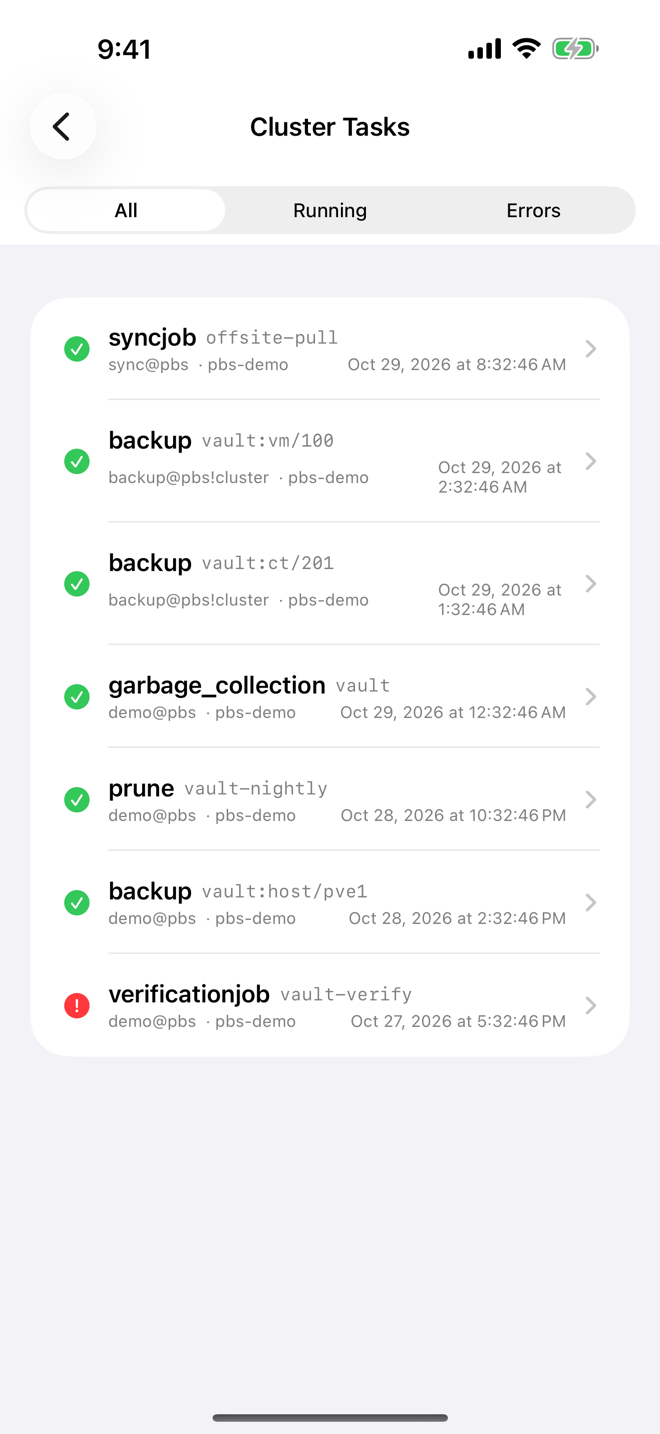
- Open Sidebar › your Backup Server › Tasks.
- Use Filter to show All, Running or Errors.
- Tap a task. The detail shows a Status card (UPID, Type, Resource, User, Node, Started, Status, Exit) and the Log.
- While the task runs, the log refreshes every 2 seconds and scrolls along.
Stopping a running task works as for Proxmox VE: tap Stop Task in the toolbar. This needs Aprox Pro and is available on iPhone, iPad and Mac.
Tasks that concern one datastore are also listed in that datastore's Tasks tab. See Datastores and garbage collection.
Requirements on the server
Typically, reading the system details needs Sys.Audit, refreshing the package index and restarting services need Sys.Modify, and the power actions need Sys.PowerManagement.